LMS migration: minefield or smooth transition?
The promise of a modern, flexible LMS is appealing, but the thought of migration can feel overwhelming. Here’s how we break it into clear, manageable stages.

For many organisations, outdated learning platforms have become a barrier to growth. Whether it’s clunky technology, low learner engagement, poor reporting, or the inability to integrate with other business tools, the frustrations are real. The promise of a modern, flexible LMS is appealing, but too often the thought of migration feels overwhelming.
Concerns about losing valuable learning data, disrupting day-to-day training, or facing technical roadblocks can make it feel safer to stay put, even when the system is holding you back. You’re not alone. Many organisations feel “trapped” by their current LMS, knowing it isn’t fit for the future but unsure how to make the change without unnecessary risk or stress.
This is exactly where Cortexa comes in. We help organisations navigate LMS migration with confidence — minimising disruption, protecting your data and ensuring a smooth transition. Our approach is hands-on and collaborative, so your migration isn’t just a technical shift but a chance to boost engagement and deliver lasting value for your learners and your organisation.
Why organisations move
Percentage of organisations surveyed.

How we work with you through every phase
Migrating an LMS to a new platform and provider can feel daunting, but it’s really about breaking it into clear, manageable stages. Every migration is slightly different, but experience has shown that a structured approach works every time.
1. Discovery and planning
- Your goals: why you’re moving and what success looks like
- An audit of your current LMS: content, user data, integrations, reporting
- Engaging stakeholders to capture needs and priorities
- A migration roadmap and timeline
2. Data and content audit
- Deciding what to keep, update or retire — courses, resources, assessments
- Reviewing data — user profiles, learning history, compliance records
- Identifying gaps where new content or functionality is needed
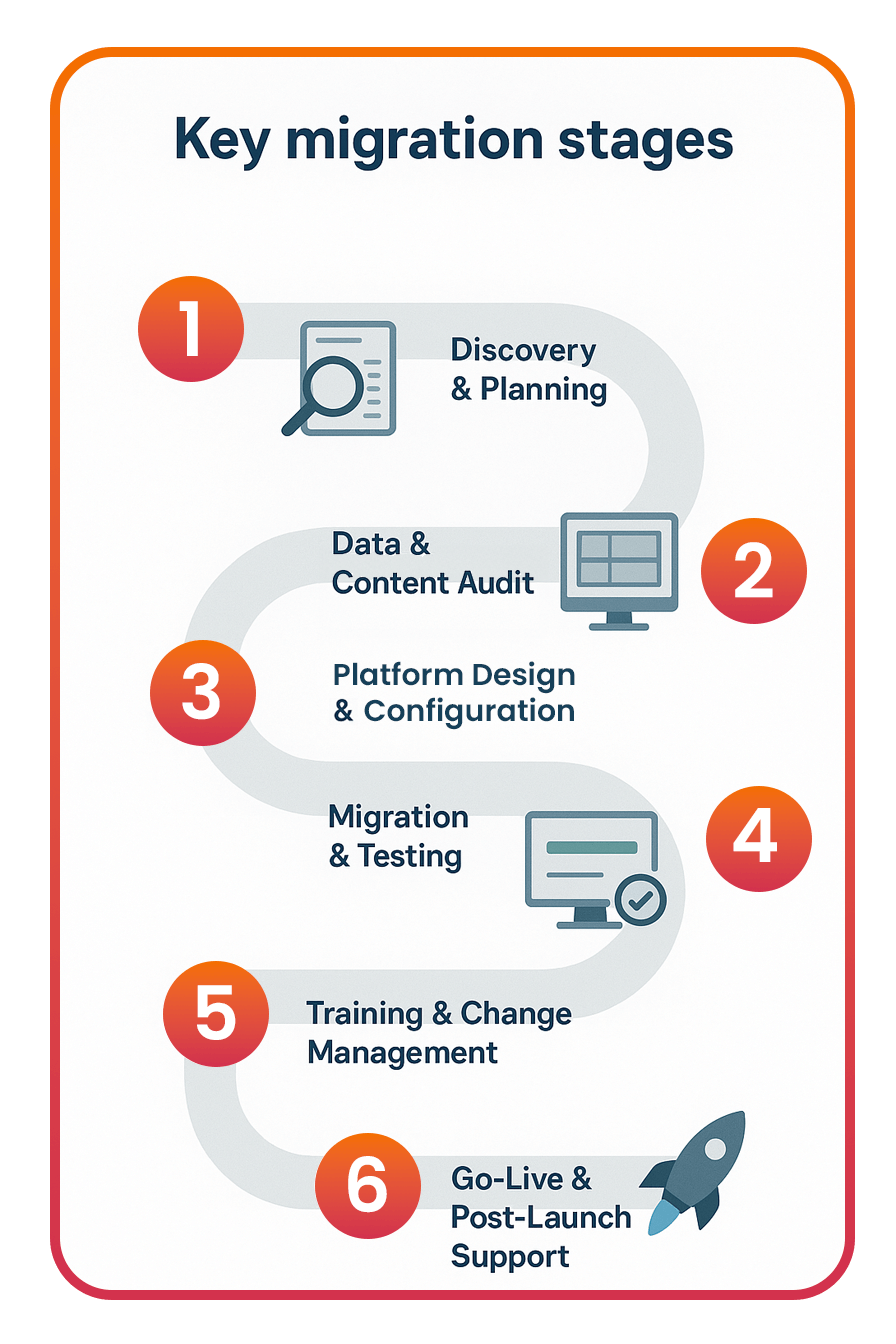
3. Platform design and configuration
- Configuring the new LMS structure — hierarchies, roles, permissions
- Setting up branding, user journeys and workflows
- Mapping integrations with HR systems, CRMs or authentication tools
4. Migration and testing
- Transferring courses, resources and user data to the new LMS
- Validating migrated content and checking reporting accuracy
- Sandbox testing with key users to check usability and fix issues
5. Training and change management
- Training admins, managers and learners on the new system
- Providing guides, online training resources and FAQs
- Communicating the benefits clearly to encourage engagement
- Phasing training, adoption and features to fit business needs
6. Go-live and post-launch support
- Launching in phases — a pilot group, then wider rollout
- Monitoring performance and learner feedback
- Hands-on support for refinements and troubleshooting
- Regular reviews to ensure ongoing optimisation
Done well, LMS migration isn’t just a “lift and shift”. It’s a chance to refresh your learning strategy, modernise content and create a better learner experience.
Read related posts
All insights


Let’s talk about your platform
If an article raised questions about your own platform, we’re happy to talk them through with you.
Thanks, we'll be in touch.
Your interest is registered. A member of our team will get back to you within one working day to arrange next steps.
Tell us a little about you
We'll get back to you within one working day.